

Introduction
Most people pick attendance software the way they pick a printer. Somebody shortlists three options, a demo gets booked, the price looks fair, and that’s that. The trouble shows up later. A supervisor on a job site can’t get the app to register a punch, payroll finds forty-odd hours that don’t match anything, and your HR person ends up buried in a spreadsheet at eight on a Friday night. None of that was visible in the demo. If you’re looking for the Best attendance management software US businesses can trust with real payroll data, it helps to know what to test before you sign. We wrote this guide at PayEaze from the problems we hear about most.
Start With What Goes Wrong in Your Own Office
Forget the vendor for a minute and think about last month. Which timesheets got fixed by hand? Who kept forgetting to clock out?
Jot those down, on paper if you can. Then ask the people closest to the problem. Your office manager or payroll clerk usually has a list of irritations ready to go, and they’ll rattle it off the second you ask. When new clients come to PayEaze, this is exactly where we begin. That list becomes the test you run during every demo, and it will tell you more than any feature list. A package with forty features is no use if it fumbles the two things that actually trip your team up.
Location Is the Part Most Tools Fudge
A punch with no place attached to it is just somebody saying they were there. That’s fine until it isn’t. Geofencing fixes this by tying the clock-in to a defined work area, so the system knows the punch happened at the site and not from the couch. The better versions mark the time automatically when a person arrives or leaves, and a supervisor gets pinged when it happens.
For a business with crews at different addresses, this is usually where the real gap between products shows. And if some of your staff work from home or travel between clients, ask how the tool handles that too. PayEaze’s geofencing ties each punch to a work location, so the record holds up. It’s also why the best attendance management software US field teams rely on almost always includes location-based clocking, while the plain digital timesheet doesn’t.
Catching Mistakes on Tuesday Instead of Payday
There’s a big cost difference between spotting an error when it happens and spotting it after checks have gone out. A small example: someone forgets to clock out on a Monday. If the system flags it Monday evening, the fix takes thirty seconds. If it surfaces two weeks later, you’re chasing memories.
So find out whether managers can see clock-ins live, the way they can with PayEaze. Find out whether the system raises a flag when something looks off, a missing punch for example, or whether somebody has to dig it out of a report.
Breaks and overtime need the same scrutiny. They drive labor cost, and there are rules around them, so you don’t want them living in someone’s handwriting. During the demo, have the salesperson show you the alerts a manager would actually get on an ordinary day. The tidy dashboard they open first tells you very little.
The Payroll Handoff Nobody Asks About
This one gets skipped constantly, and over a year it’s the one that eats the most hours. If attendance numbers have to be exported, tidied up and keyed into payroll by hand, you haven’t removed the manual work. You’ve moved it.
Find out which payroll systems the software connects to and who does the setup. PayEaze, for example, connects directly with the payroll system you already use. Then pick a punch, change it, and watch where the corrected hours go. They should land in payroll on their own. If the answer is “you just re-export the file,” keep looking. Honestly, how well it connects to payroll decides whether the best attendance management software US buyers adopt in January is still the one they’re using next December.
Your Team Won’t Use It From a Desk
A good chunk of your workforce probably never sits at one. They’re in a truck, on a shop floor, or at home. So check the mobile side properly. Is there an app for both iPhone and Android? (PayEaze has one on the App Store and Google Play.) Can an ordinary employee work out the punch screen without a training session? Hand the phone to your least tech-confident person and see what happens. If they’re stuck after a minute, expect a week of questions.
Leave requests belong here too, since time-off requests from the app save your HR team a lot of paper chasing.
Data, Reports and Who Can See Them
Attendance records show when people work, where they work, and what you pay them. That’s sensitive, so ask where it’s stored, how it’s protected, and whether you need to buy any equipment. PayEaze runs entirely in the cloud, so all you need is a decent internet connection, and you can check things from the office or from home.
Reports matter just as much. You want attendance and payroll reports in a click or two, exports in CSV, Excel or PDF, and older records you can open yourself. The day an employee questions one specific week from three months back, you’ll be glad that history is a search away rather than a support ticket.
A Short List for Demo Day
Take this with you:
- Show me a live punch from a job site and the alert that follows.
- How are breaks and overtime tracked and flagged?
- Which payroll platforms do you connect to, and who sets it up?
- What happens to a corrected punch?
- Where is our data kept, and what can we export?
- How long does onboarding take for a team our size?
If the answers get vague on more than one of these, take that as your answer.
Where PayEaze Fits
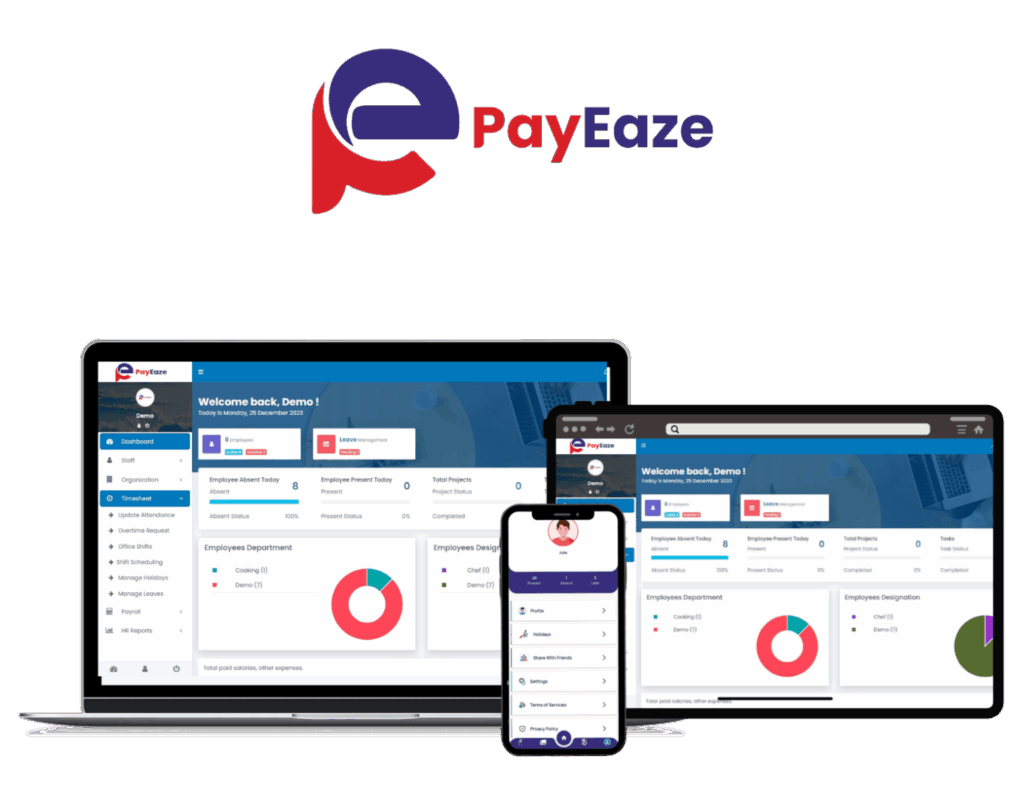
PayEaze is a cloud-based attendance and payroll platform, and it works for businesses of every size, from a small team to a large enterprise. Our geofencing records clock-in and clock-out by location. Real-time monitoring flags inconsistencies as they happen, and attendance data feeds into your existing payroll system, so hours calculate without retyping. Employees use the PayEaze iOS and Android app to punch in, track breaks and request leave. Managers get reports in a few clicks. There’s no hardware to buy, since the whole thing runs in the cloud.
In short:
- Geofenced clocking with supervisor alerts
- Live monitoring plus break and overtime tracking
- Payroll integration and one-click reports
We built it to hold up against exactly the questions above. If you’re comparing the best attendance management software US providers offer, we’d welcome the chance to prove that on a live demo.
Conclusion
Picking well mostly means testing real situations rather than comparing feature lists. Check how location is verified, what managers see live, how data reaches payroll, how staff punch from a phone, and how easily you can pull records later. Push for specifics every time.
Bring a payroll person and one frontline employee to the final demo. They’ll spot problems you won’t. The Best attendance management software US companies keep for years usually isn’t the flashiest in the demo. It’s the one that gets the hours right every week without anyone thinking about it.